v3.0.1 Stable Agent Skill · see what's new

Describe it in plain words.Get a map you can trust.

A leave plan, a job hunt, a monthly budget, or a software system — if it has steps, parts, relationships, or states, your AI agent turns it into one explorable HTML map, validated before it ships.

npx skills add tt-a1i/archify -g
Get started
Works with Claude Code · Codex · Cursor · OpenCode · Copilot stars on GitHub

Live artifact tour

Open artifact

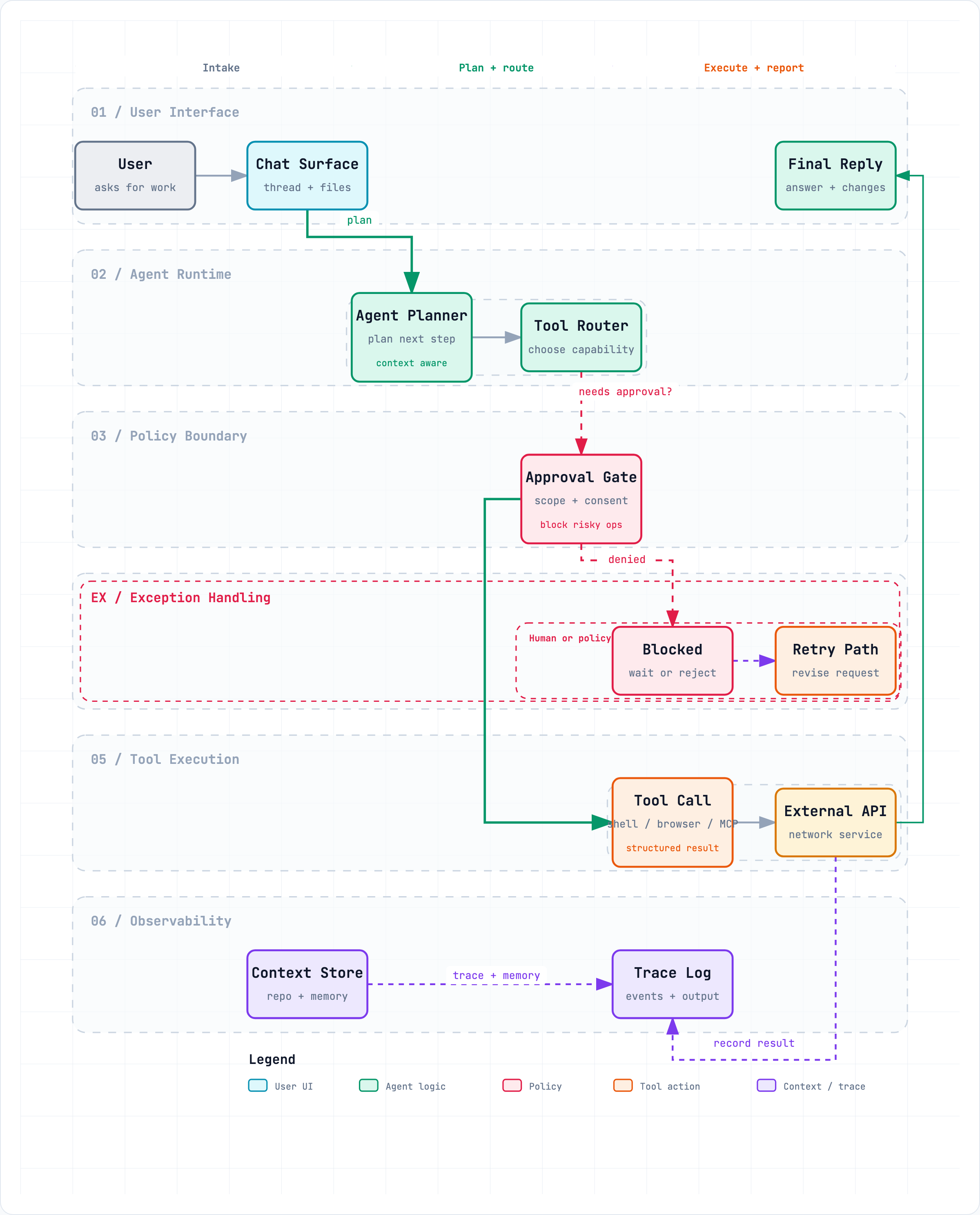
LiveWorkflow · Signal Flow · 12 nodes · 11 edges

The whole system, in one readable frame.

This is the real generated artifact, not a screenshot. Lanes, boundaries, and every authored edge — scroll to move its camera.

Agent Tool Call — policy, execution, recovery, and evidence
5Diagram types
4Visual presets
9/9Validation checks per artifact
4×Native export scale
0Runtime dependencies

Not just for code. For anything with steps.

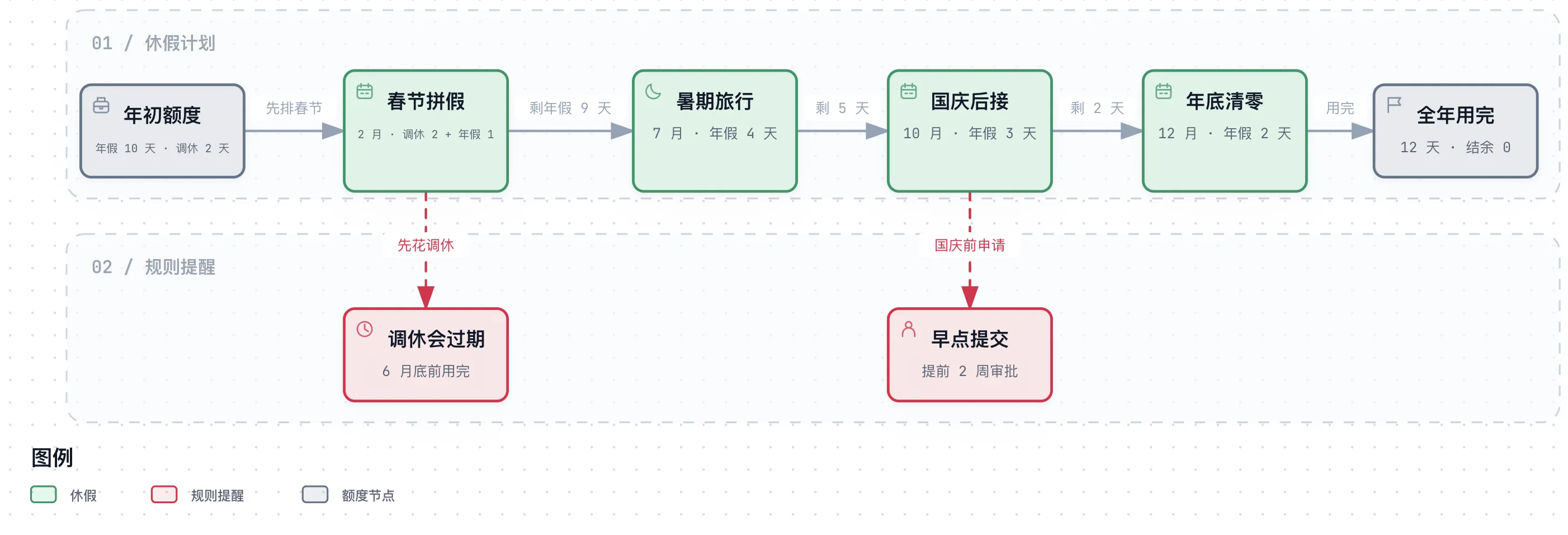
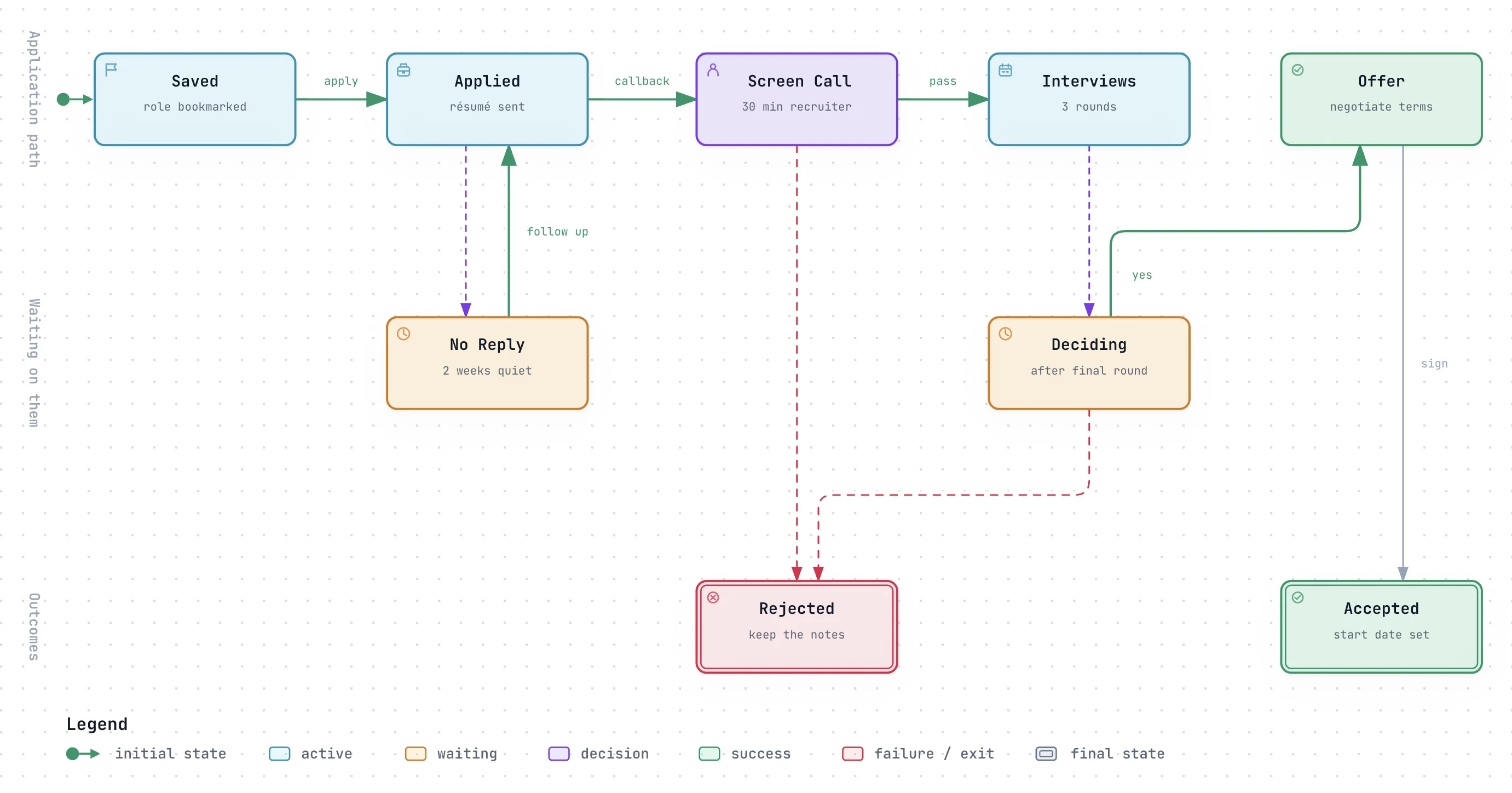
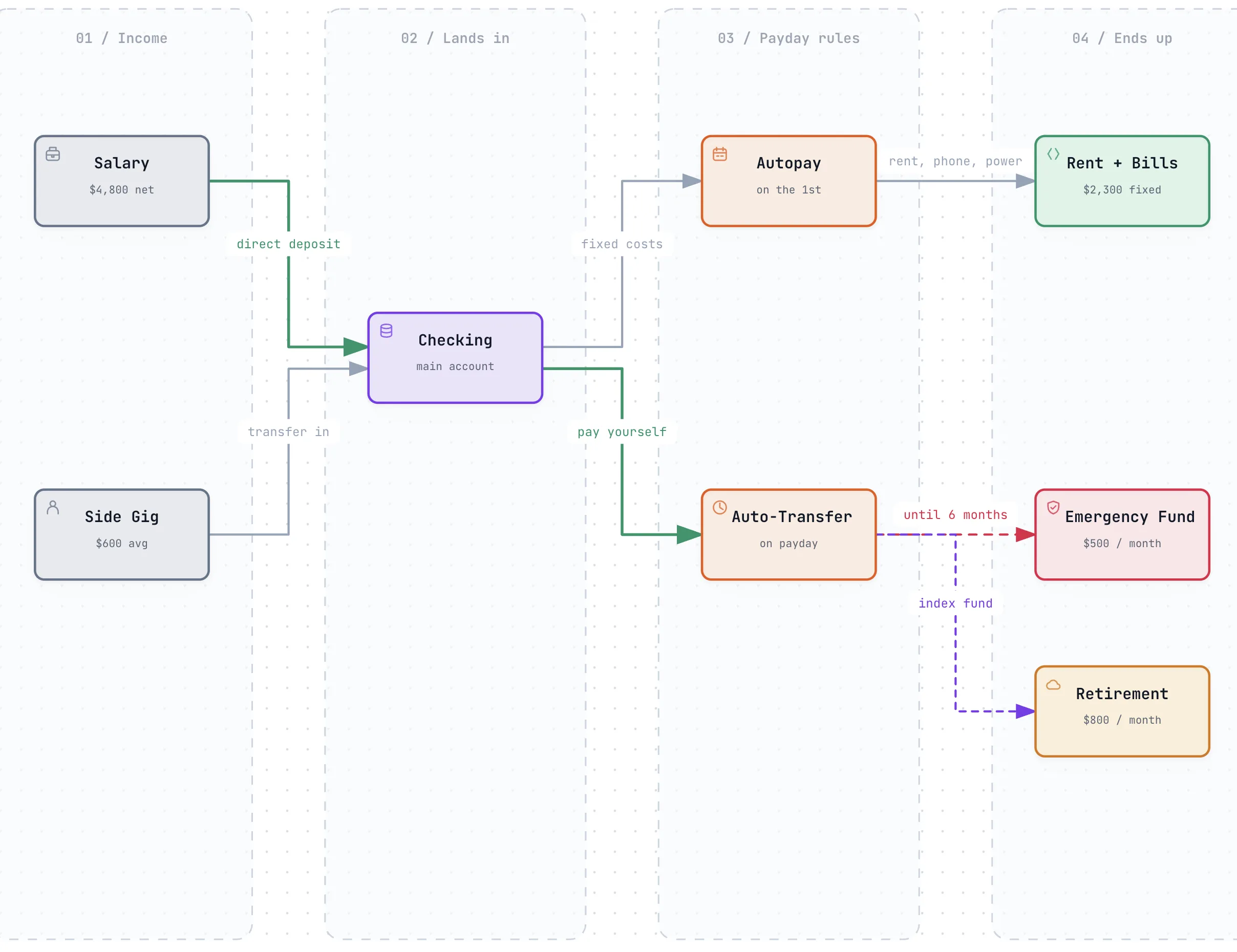
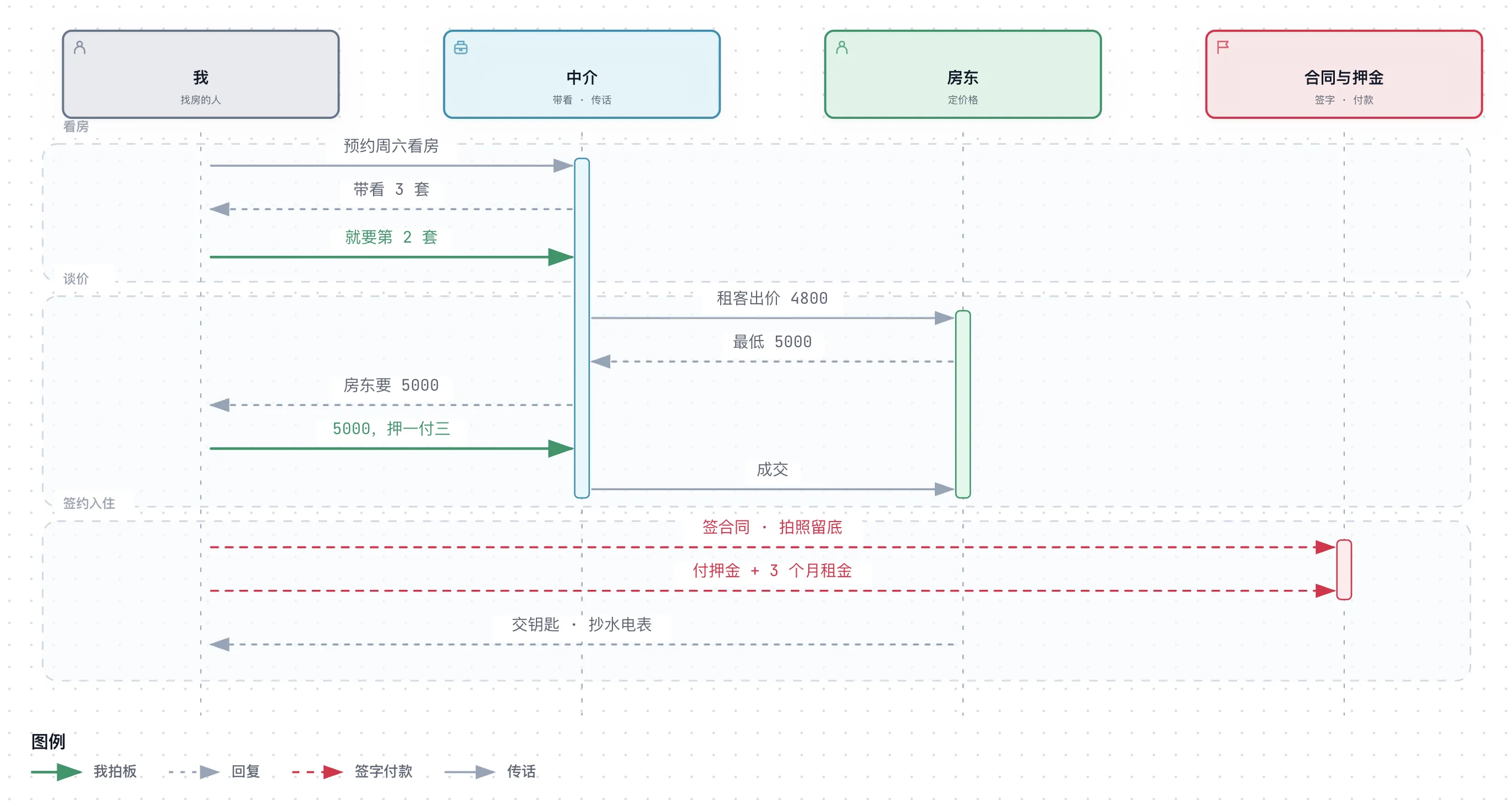
Leave plans, job hunts, renting, a monthly budget — each one below is a real Archify artifact, generated and validated exactly like a system diagram. Open one and click around.

Numbers in these examples are illustrative. Describe your own situation and your agent draws yours.

Five questions. Five kinds of map.

Ask the question you actually have. Archify picks the picture that answers it — for a software system, a plan, or something in your own life.

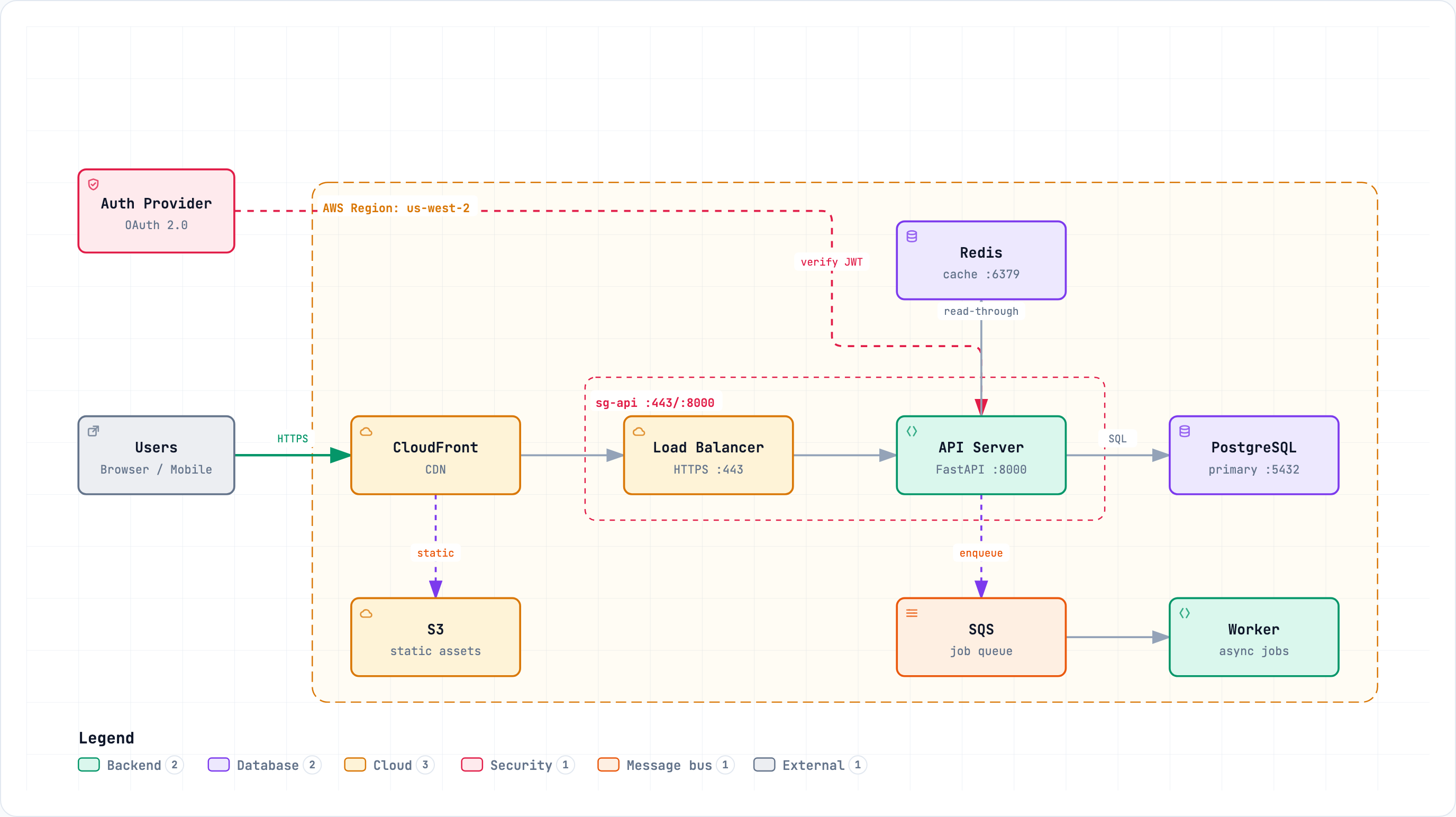
  1. The parts of something and how they connect — a household's accounts and cards, a team's roles, or a cloud system's services, databases, and security boundaries.

    • Household accounts
    • Team roles
    • Microservices topology
    • Cloud + security boundaries
  2. Steps across people or stages — a visa application, a leave plan, onboarding, an approval chain, or a CI/CD pipeline, lane by lane.

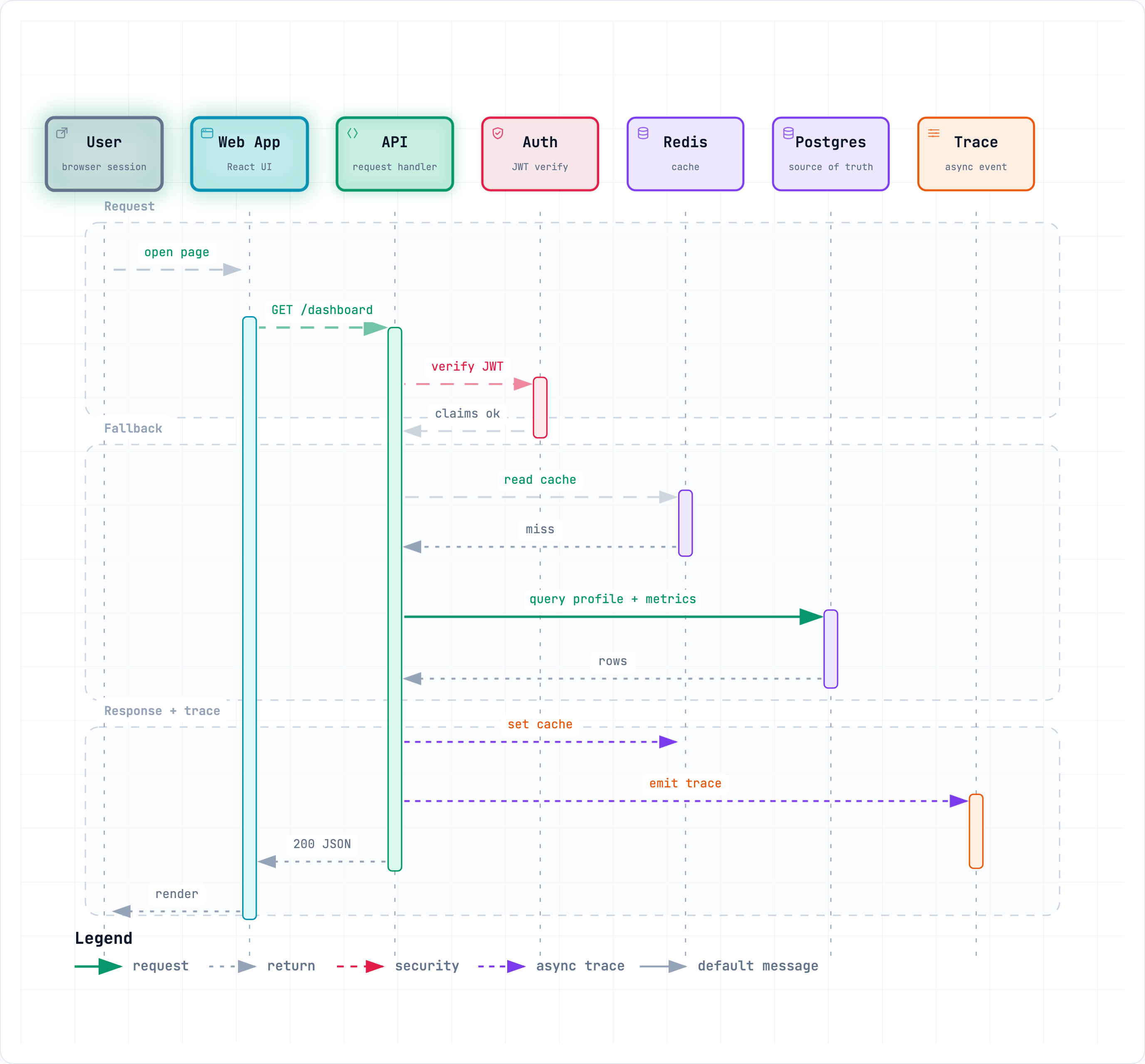
  3. Back-and-forth in order — renting a flat through an agent, an expense claim, or an API call chain with its returns.

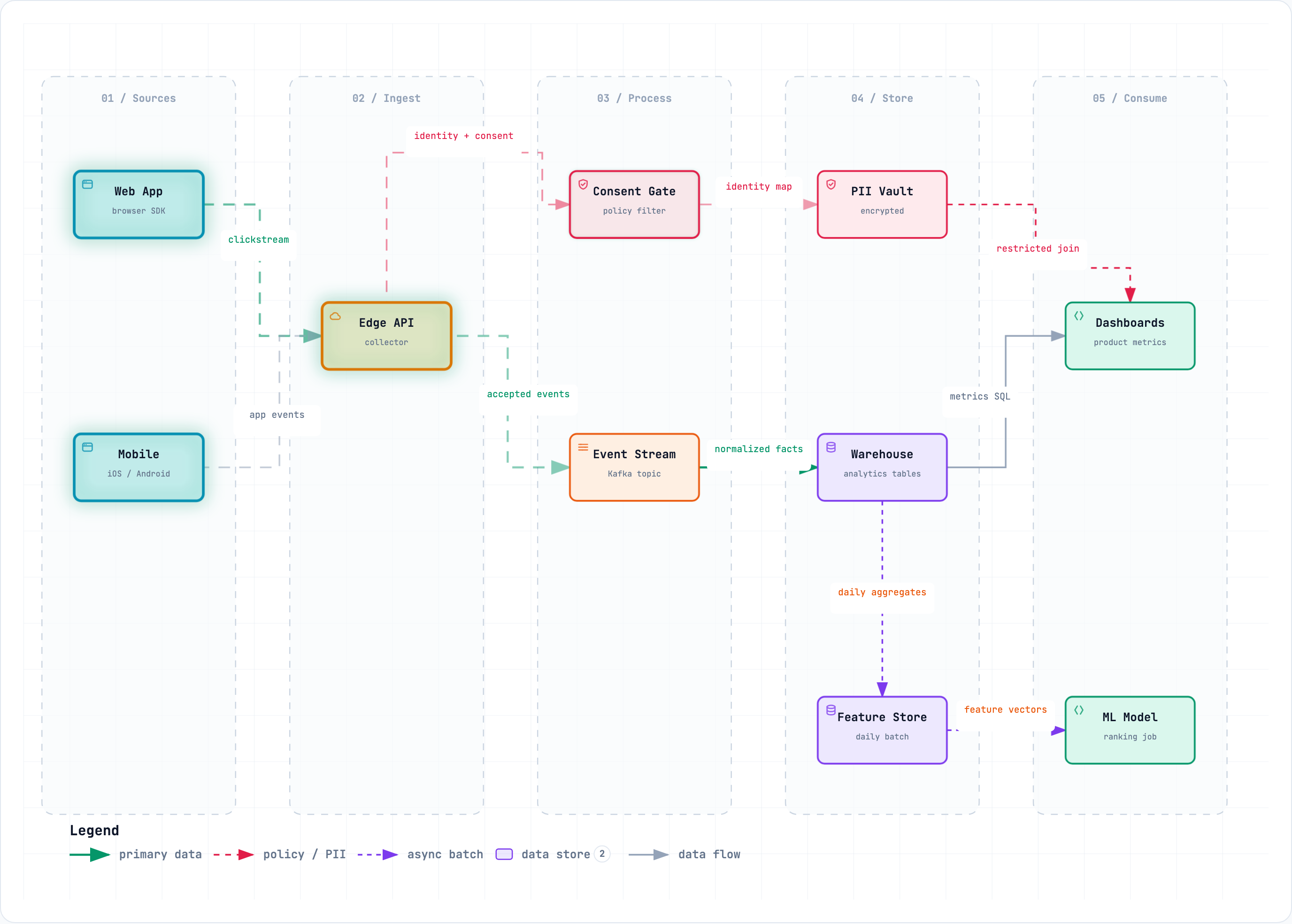
  4. Where something moves and where it lands — a paycheck into bills and savings, documents through review, or data through a pipeline.

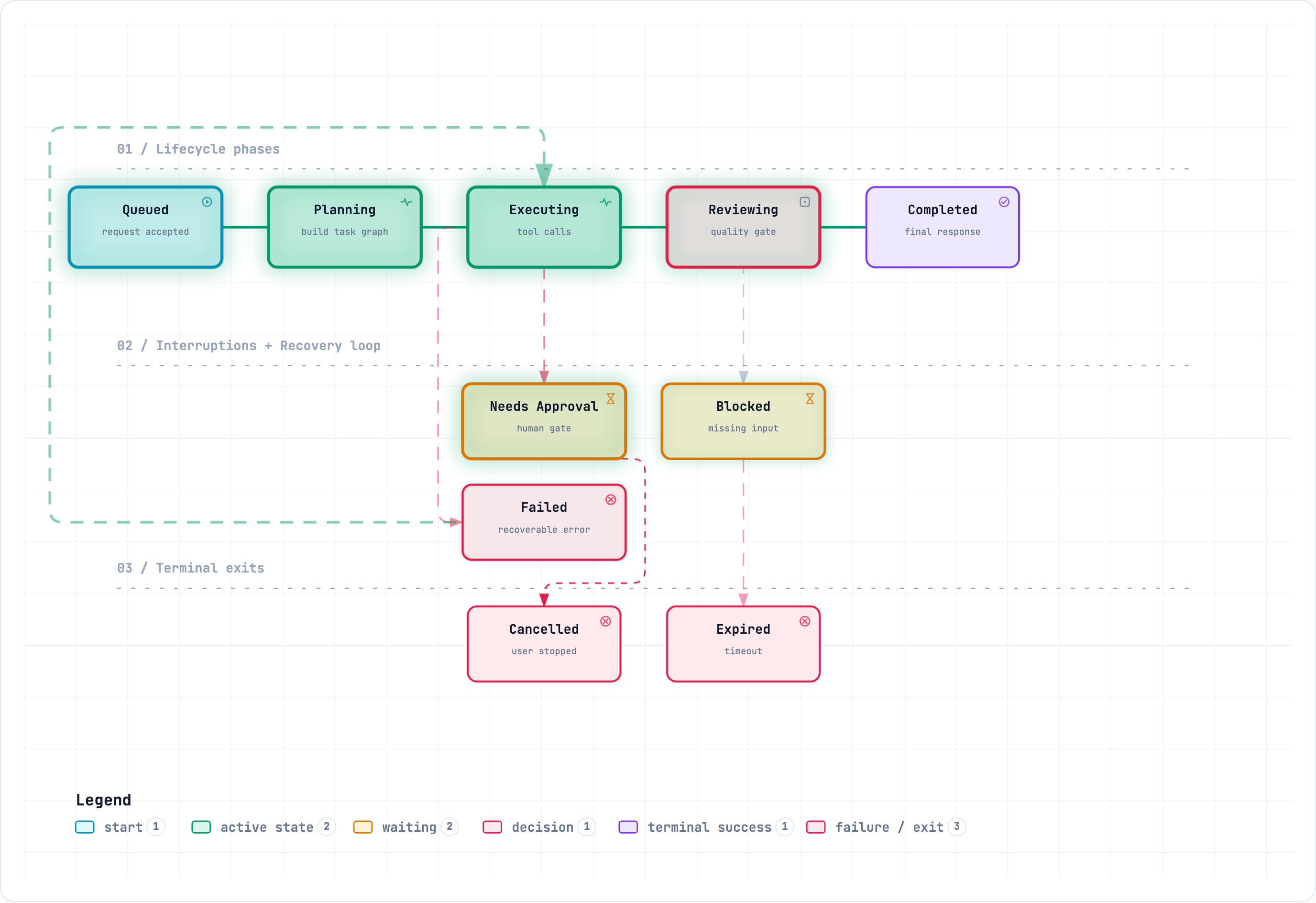
  5. States and what moves between them — job applications, an order, a passport renewal, or a deployment — with waits, retries, and endings.

One file. Everything inside.

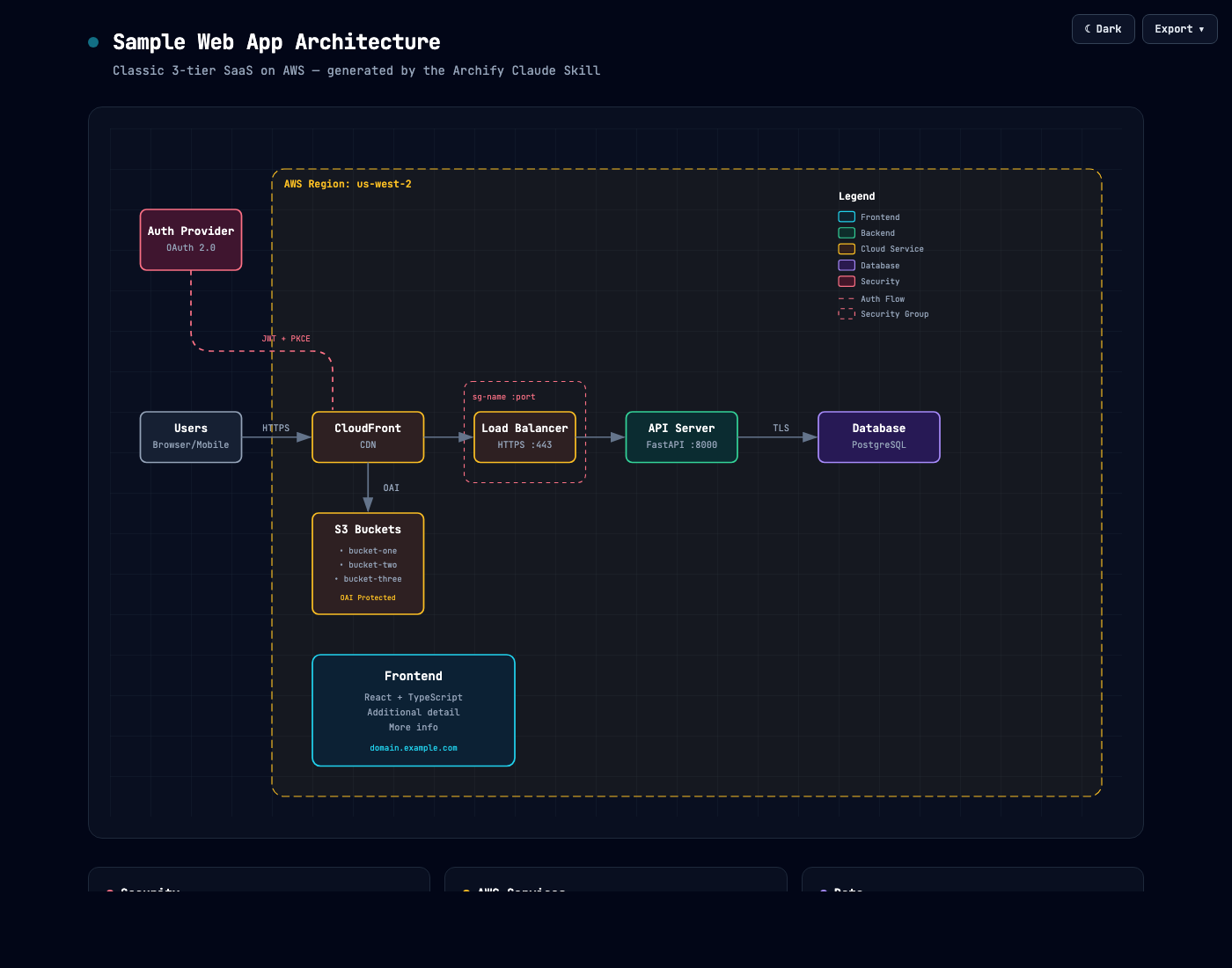
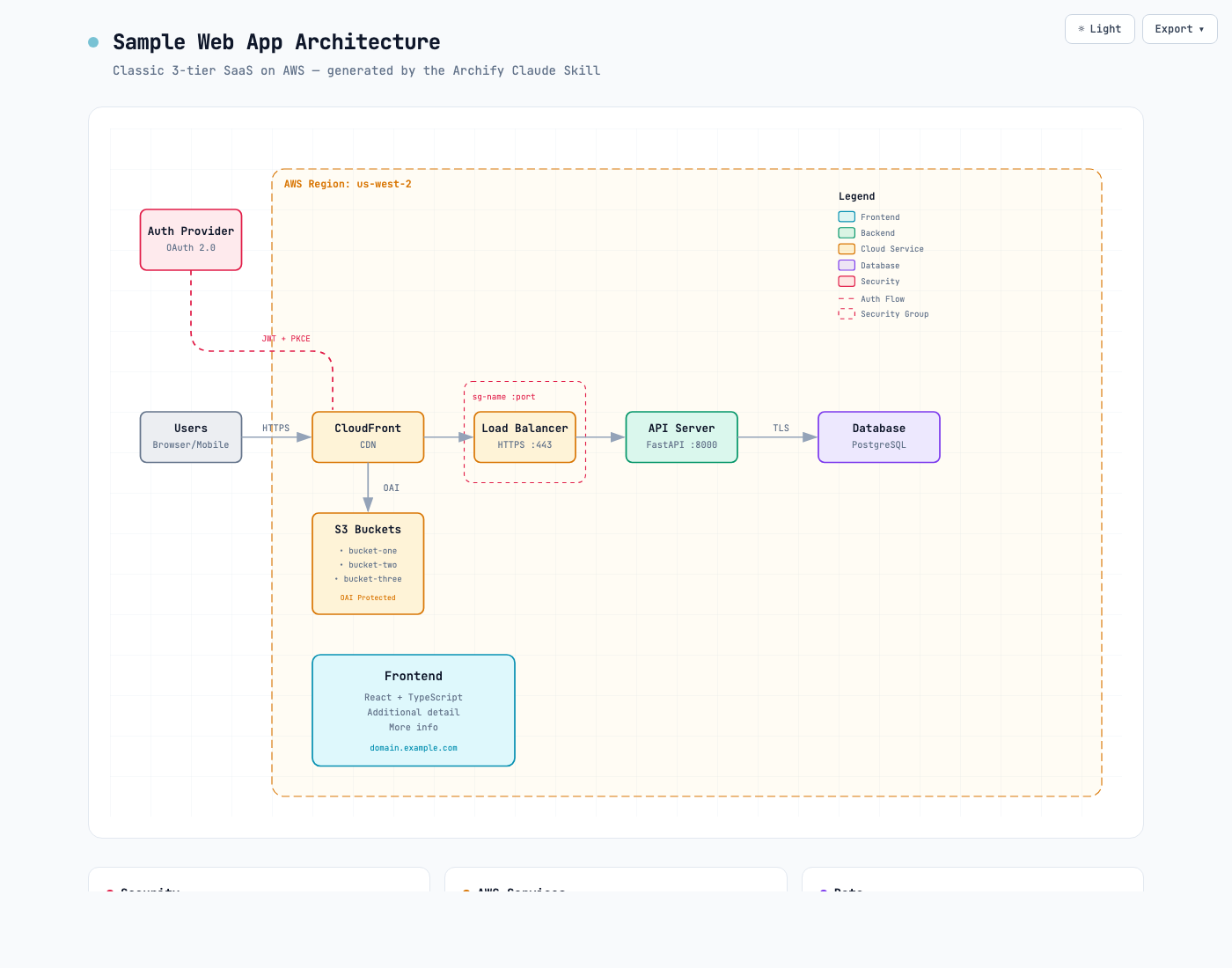
The same Archify diagram rendered in the dark theme Archify architecture diagram rendered in the light theme

Dual-theme output

Every diagram ships with coordinated dark and light variable sets. The HTML theme toggle and the SVG @media prefers-color-scheme rule switch together — one file follows the reader's theme.

LIGHT · DARK · ONE FILE
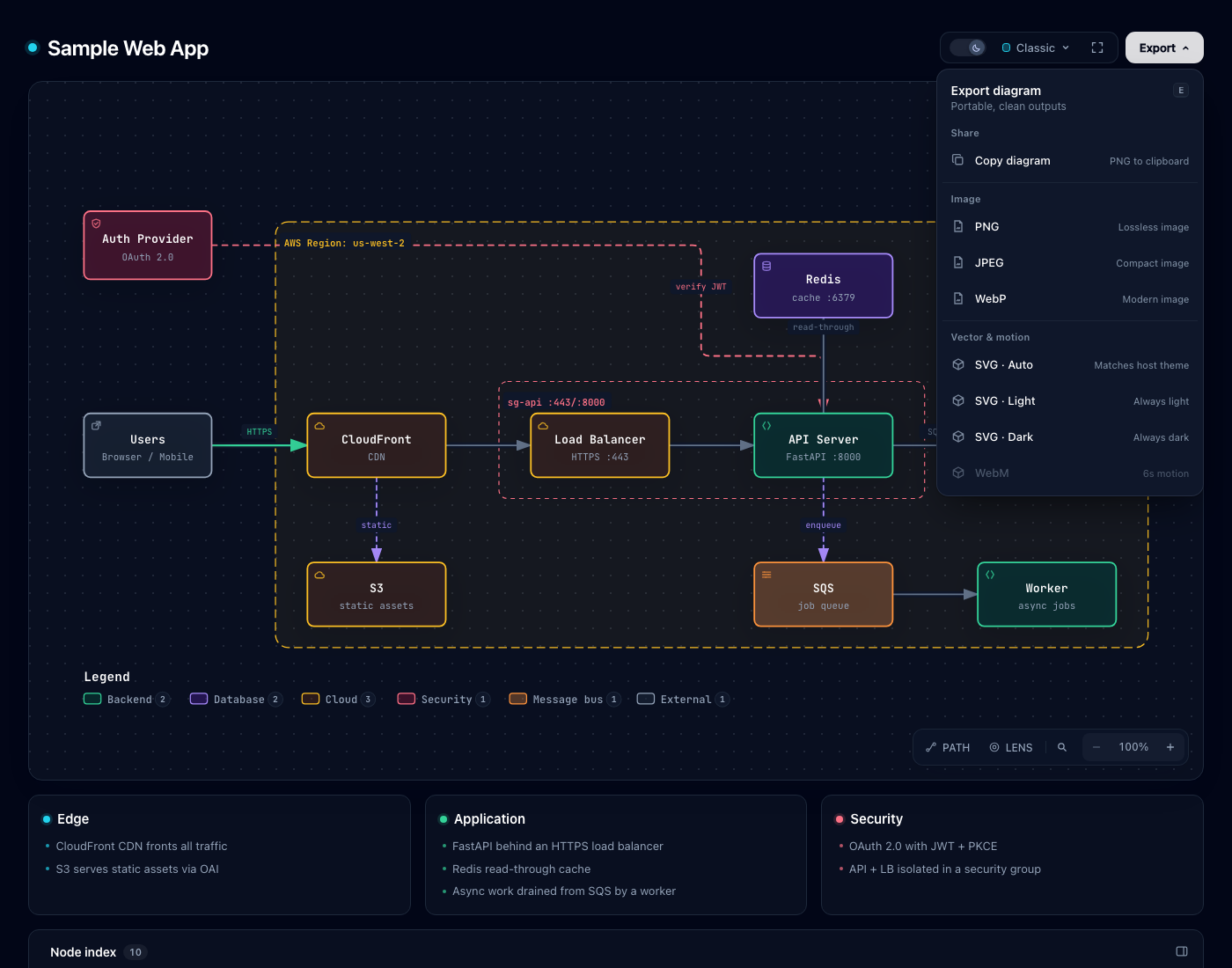
Archify export menu listing PNG, JPEG, WebP, SVG, and WebM outputs

One menu, every format

PNG, JPEG, WebP, dual-theme SVG, WebM motion, or straight to the clipboard — every export renders natively in the browser from the same menu.

  • PNG
  • JPEG
  • WEBP
  • SVG
  • WEBM
  • Clipboard

Ultra-crisp 4× export

PNG, JPEG, WebP — all rasterized natively at up to 4× source resolution by the browser. No upsampling blur. Sharp on retina displays, slides, and print.

Self-contained HTML

One HTML file. Zero dependencies, no server, no runtime. Open it in any browser and it works. Share by attaching it to an email or PR comment.

Iterate by chat

"Move the summer trip to August", "add Redis", "make the deadline red" — refine in plain words. No diagram editor to learn.

Inspect and play real routes

Route Journey keeps the complete authored path visible while you inspect any stop or play one finite, reader-controlled pass over each exact incoming relationship.

INSPECT · PLAY · PAUSE

Color that means something.

Seven node colours, consistent in both themes. The legend renames them for your story — Backend can read as Vacation, Security as Rule.

Web AppReact SPAFrontendClient apps, browsers, mobile, UI
API ServerFastify :8080BackendServices, APIs, workers, daemons
Postgresprimary :5432DatabaseDBs, caches, stores, AI/ML
CloudFrontCDNCloudManaged services, infra
Auth ProviderOAuth 2.0SecurityAuth, secrets, guards
Kafkaevents topicMessage BusKafka, RabbitMQ, SNS
Usersbrowser · mobileExternalUsers, 3rd parties, generic

Three steps. One command.

One checked Skill for Claude Code, Codex, Cursor, OpenCode, and GitHub Copilot. Pick your agent for the exact command.

# Install globally for your agent

npx -y skills add tt-a1i/archify --skill archify --agent claude-code --global --copy --yes

# Or try it once with Codex, no permanent install

npx skills use tt-a1i/archify@archify --agent codex

# Then just ask

› Use Archify to plan my annual leave: 10 days, plus 2 comp days that expire at the end of June.

  1. 1

    Install in one command

    Run the command for your agent, or open the agent-aware quick start for project-scoped installs.

  2. 2

    Describe your system

    Describe the steps, people, parts, or states — or ask your agent to read a repository first.

  3. 3

    Ask your agent to draw it

    Tell your agent to use Archify. It generates a self-contained HTML file you can open in any browser and refine in chat.

Inside every artifact

Diagram guide?
Toggle themeT
Find node / route endpoint/
Trace, inspect, and play a routeR
Semantic radarM
Compare semantic kindsL
Presentation stageF
Open export menuE
Focus nodeEnter
Reading depth / reset+ − 0
Navigate menu↑ ↓
Close menuEsc
Product facts

A diagram you can inspect and keep.

What is Archify?

Archify is an open-source Agent Skill for turning a system, process, or plan into a diagram. The agent authors typed JSON, then Archify renders and validates a self-contained interactive HTML artifact. The Skill and renderers are licensed under MIT.

What can I provide as input?

Start with a plain-language description, a plan, existing Mermaid text, or repository evidence. A repository is optional. Your agent interprets the input and creates Archify JSON; Archify does not promise automatic parsing of every Mermaid construct. Missing facts should be marked or clarified.

Which agents can use it?

The installation examples cover Claude Code, Codex, Cursor, OpenCode, and GitHub Copilot. They use the same Archify Skill. Agent access to files, a local Node.js runtime, and any tools needed for the requested export remain part of your environment.

What do I receive, and what are the limits?

The primary deliverable is an HTML file with inline SVG and its typed JSON source. Open the HTML in a browser to inspect, search, trace routes, switch themes, and export. Validation checks the authored diagram; it does not prove runtime system behavior. Archify is not a hosted collaboration service or a general-purpose WYSIWYG editor.

Exports include PNG, JPEG, WebP, SVG, and WebM. Availability depends on the format and browser or local tooling; open a proof artifact to check the export menu before choosing a delivery format.

The default installation command uses the stable main source. Development examples describe their own build and may include features not yet in a stable release.

Describe it once.
Share the map.

One command installs the checked skill for your agent — and your next diagram is a chat message away.

Archify 35-second demo